
If you’re a marketer, founder, or creator who’s planning to use Sora-2 to generate short-form videos, this little guide is for you.
We’ve spent a good chunk of time experimenting with Sora-2, running into weird glitches, blocked prompts, and some surprisingly good outputs.
This guide is a quick rundown of what actually works, what doesn’t, and how you can save yourself hours of trial and error. Each scenario comes with its own dos and don’ts to make things easier for you.
Let’s get started.
1. Getting Access Right
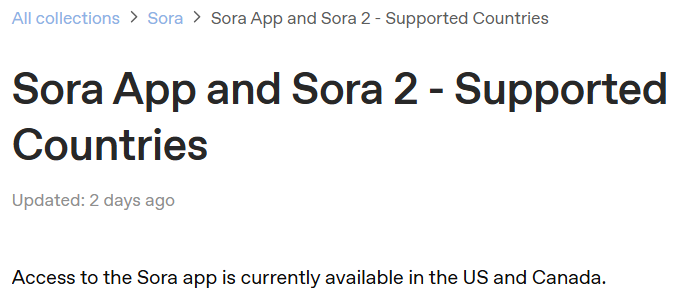
Before you even start prompting, you need proper access. Sora-2 isn’t fully public yet: it’s currently available only in the USA and Canada. That means you’ll need a reliable VPN or VPS set to one of those locations.
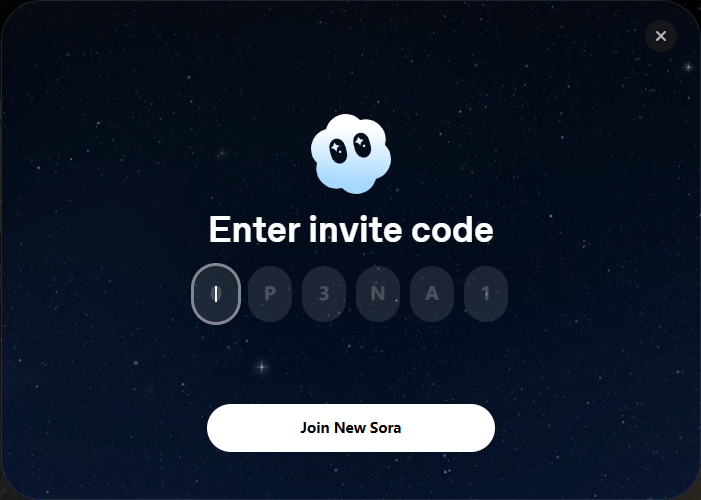
You’ll need an invite code to access the new Sora model (Sora-2). Without it, you’ll be using Sora 1, which runs on an older model.
It still works, but the results aren’t always perfect. Sometimes the videos look a bit off or half-done.
Also, just a heads-up: you’ll need a ChatGPT Plus account to use the old Sora. Free accounts can only make images, not videos.
So step one: VPN on, invite ready.
2. Avoid Popular Names and Faces
Sora’s content policy is strict about using real people’s names or likenesses. Mentioning celebrities, politicians, or public figures will likely block your generation request.
For example, if you include “Elon Musk” in your prompt, it won’t generate anything at all. His name triggers the algorithm, and this will happen:
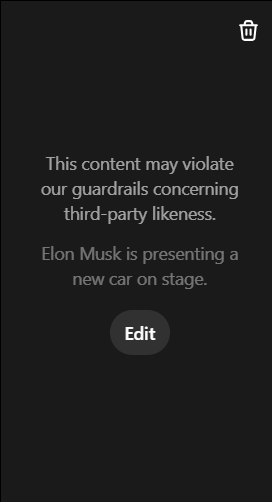
Try something like: “A tech entrepreneur presenting a futuristic car at a launch event” and you’ll get better results.
You’re giving Sora enough direction to capture the vibe without crossing into restricted territory. The same goes for faces and voices. Asking to replicate a real person’s image or sound won’t work. Describe the style or scenario instead.
3. Keep On-Screen Text Short and Clear
Sora doesn’t handle long paragraphs or detailed text overlays very well. If you ask it to show a full paragraph, it’ll likely mess up the font, make the text too tiny, or add random grammar errors. If you try it, you’ll probably end up with something like this.
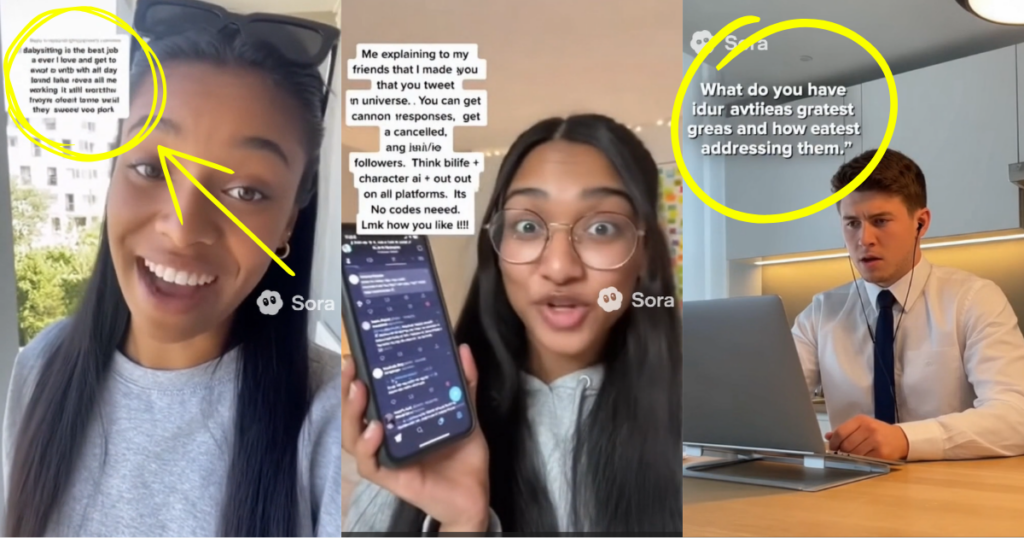
Stick to short and clear text, one or two lines max. Hooks like these work perfectly:
“This app saves me 3 hours every day.”
or
“How I doubled my downloads using this simple trick.”
If you want to add longer copy, do it later during editing. Think of Sora as your video generator, more so than your typography designer.
4. Don’t Try to Recreate Movies or Series
Another easy way to get blocked is by referencing popular shows or films. Phrases like “inspired by Harry Potter” or “scene from Breaking Bad” will trigger the system.
For instance, the prompt below triggered the algorithm, and the word “Squid Game” caused the issue.
Prompt:
“Create a video where a Squid Game character is holding and hugging a young child. The character is wearing a green jumpsuit with white stripes from the shoulder to the arm. The child is wearing a white dress.”
You’ll get this notification instead of the video:
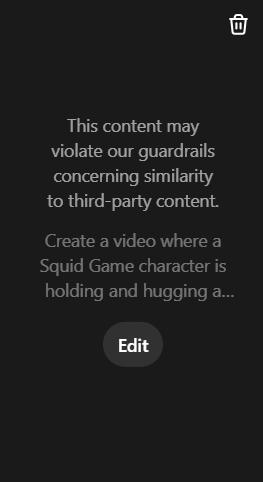
If you want that same cinematic feel, describe the mood or style instead. You’ll get something that feels similar in tone, without using protected IP.
Remember: keep it suggestive, not literal.
5. Keep It Short and Intentional
Here’s something most new users figure out the hard way: Sora-2 videos usually run around 10 seconds. You can’t set a custom duration (at least not yet), so the model automatically decides how long to make your clip based on your prompt.
That means if your scene needs 15–20 seconds to make sense, it’ll likely get cut off mid-action. Or, to fit everything into 10 seconds, it might speed up the audio and video to 2x, making it hard to understand.
The best thing you can do is plan your video idea around 10 seconds and keep your concept simple: one action, one message, one emotional moment.
For example, if you’re creating a promo video for an app, focus on a single use case instead of trying to show every feature.
“A young woman, illuminated by the glow of her smartphone, stops on a city street. Her fitness app displays ‘Goal Achieved,’ prompting a genuine, satisfied smile at the steps she’s logged.”
That’s enough context for Sora-2 to build a coherent short clip. Try this prompt and you’ll find clean and smooth results.
Think of it like writing a TikTok idea, quick, clear, and to the point.
6. Don’t Overthink Orientation
You don’t need to mention whether the video should be vertical or horizontal inside your prompt.
In the Sora interface, there’s already an orientation toggle in the bottom-right corner. By default, it’s set to vertical, perfect for TikTok, Instagram Reels, or YouTube Shorts.
If you’re generating something for YouTube or web ads, just switch it to landscape manually before you hit generate.
Adding “portrait” or “horizontal” to your text prompt doesn’t help and can sometimes confuse the model. Let the settings take care of it for you.

7. Avoid Overly Complex Scenes
Sora-2 still struggles with too much detail. When you ask it to show multiple actions, close-ups of phone screens or complex camera angles, it tends to get confused.
For instance, we tried explaining a complex scenario, but Sora didn’t quite get it and ended up distorting the results.
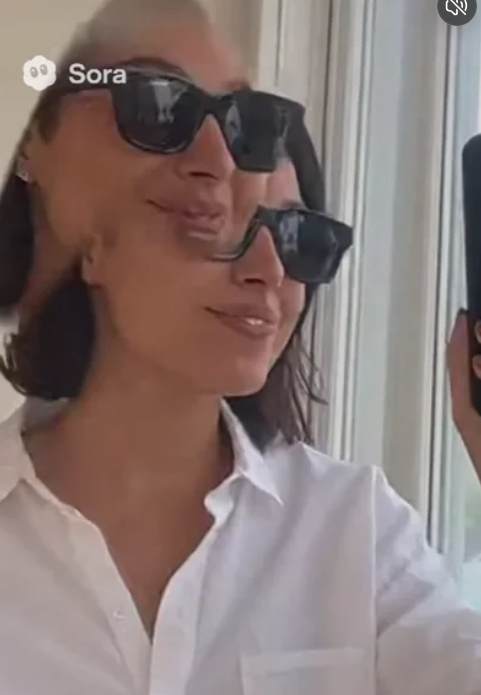
Avoid prompts like:
“A person scrolling through a phone showing multiple app interfaces, zooming into each feature.”
That’s too much for Sora to handle. Instead, go with something simpler:
“A person smiling while using a mobile app.”
You can always overlay actual app footage later when editing. Keep Sora focused on people, emotions, and storytelling. That’s where it shines.
Other Tips That Will Help
Here are a few extra lessons we’ve picked up along the way:
- Using emotional or sensory language words like “sunlit,” “energetic,” “nostalgic” and “cinematic” really improve results.
- Try both descriptive and narrative prompt styles. Sometimes, “A young man walking through a rainy street” works better than “A cinematic video of a young man walking through a rainy street.” Test both.
- Don’t over-describe faces. Too many details can make them look weird or uncanny.
- Save your best prompt formats in a document. Sora often rewards consistency.
About Social Growth Engineers
At Social Growth Engineers, we break down what’s really working in the short-form world, from viral hooks and proven content formats to ready-to-use datasets and app-specific case studies. Basically, everything you need to go from “posting and praying” to scaling with confidence.
If you’re ready to take your app’s growth playbook to the next level, check out Social Growth Engineers and start building your next viral strategy today.
Leave a Reply